THE COMPLETE CONTRACTOR CONNECTION
Contractor Connection
Build the project once. CalibraytAI carries it from the first plan through final results.
CalibraytAI connects plans, takeoffs, supplier and subcontractor costing, labour, estimates, approvals, contracts, purchasing, field execution and project performance through one authoritative project record.

ONE PROJECT RECORD
Every part of the contractor’s work stays connected.
The contractor develops the project once. CalibraytAI carries the same scope, quantities, costs and decisions forward through estimating, contracting, purchasing, construction and performance review.
Less administrative work
Project information moves forward automatically instead of being copied into disconnected spreadsheets, documents and systems.
Faster project decisions
Current scope, costs, supplier information, approvals and commitments remain visible in one place.
Stronger project control
The contractor sees how each decision affects cost, schedule, purchasing and margin before and during construction.
THE CONNECTED CONTRACTOR WORKFLOW
PLAN → PRICE → CONTRACT → BUILD → MONITOR → LEARN
Approval gates move one complete project record through every stage of the construction lifecycle.
Understand the project
Plans, specifications, scope, selections, assumptions and project questions become one clear project record.
Build the takeoff
Drawing uploads, material takeoffs and construction calculators turn the plans into the quantities and labour for the work being priced.
Connect real project costs
Supplier pricing, subcontract quotations, labour, equipment and allowances flow into the estimate.
Complete the estimate
Direct costs, labour hours, overhead, margin and customer pricing are calculated and reconciled together.
Approval moves the project forward
Approval gates create the customer proposal, contract, warranty, purchasing requirements and office-ready records.
Build, monitor and learn
Field progress, actual costs, schedule and margin stay connected—and every completed project improves the next estimate.
IN THE PLATFORM TODAY
What a contractor runs in CalibraytAI now.
These are working parts of the contractor platform today, from the first drawing to the closed job.
Drawings and material takeoffs
Upload the plan PDFs to the project, review the permit report, and build material takeoffs for supported work such as decks and ICF foundation walls.
Construction calculators
Concrete, footings, stairs, ICF wall forms, wall framing, roofing, siding, drywall and flooring calculators, built into the platform.
Estimating, labour and material costing
Estimate versions with material, labour and subcontract lines. Scope review confirms who supplies and who installs before costing is approved, and your pricing policy sets the customer price.
Supplier selection and quotations
Choose the supplier, send the material request through the Supplier Hub, then record and approve the quotation that comes back.
Customer proposals and contracts
Create the customer proposal from the estimate, share it by private link, record acceptance and generate the construction contract from the accepted work.
Change orders and approvals
Record extra work and change orders against the project so scope, price and approvals stay with the job.
Company Calendar and My Calendar
The whole company’s work, crews, appointments and deliveries in one calendar, and each person’s own day, week and month.
Project scheduling and crew assignments
Schedule each piece of work, assign a crew or a person, and move a project’s dates together when the job shifts.
Personal and company appointments
Site visits, client meetings, supplier meetings and estimate consultations. Personal appointments are seen only by the person who made them.
Field schedules and time entry
Crews open today’s, this week’s and this month’s work on the phone, capture notes, photos and voice, and enter their time for the office to approve.
Project labour and cost performance
Compare the committed estimate with the actual direct costs entered for the project while the job is underway.
Purchasing, deliveries and closeout
Place purchase orders from approved quotations, follow confirmations and deliveries, answer delivery changes, and close the job with a punch list and final walkthrough. A QuickBooks-ready entry sheet is produced for the office.
Cal Assistant
Ask Cal to find a project, estimate, proposal, order, delivery or appointment, or how to do something. Cal only reads what you can already open; it never changes a record.
COMPANY CALENDAR AND MY CALENDAR
One connected place to organize jobs, people, appointments and deliveries.
The office sees the whole company. Each person sees their own day. The crew sees their work on the phone. Scheduled work, crew assignments, appointments and supplier deliveries all come from the same project records, so nobody keeps a second calendar to stay in step.
Company Calendar
Every scheduled job, crew assignment, company appointment and supplier delivery, in Day, Week or Month view. Filter to one project when you need to.
My Calendar
Your own work and appointments, including personal ones that no one else in the company can see.
Project scheduling and crew assignments
Put each piece of work on the calendar, assign the crew, and move a project’s dates together when the job shifts.
Appointments and site visits
Site visits, client meetings, supplier meetings and estimate consultations, linked to the client or project. Changes and cancellations are kept in the appointment’s history.
Delivery coordination
Deliveries agreed with the supplier, and delivery changes still waiting for an answer, show on the calendar beside the work they support.
Field schedule visibility
Crews see Today, This week and This month on the phone, with the job address and directions.
Your own calendar app
Subscribe from Apple Calendar, Google Calendar or Outlook to your private CalibraytAI address. It is a one-way feed: you make and change appointments in CalibraytAI, and they appear in your calendar app when that app refreshes. Any single appointment can also be downloaded as a calendar file.
The calendar feed is one-way and read-only. Nothing typed in Outlook, Google or Apple Calendar comes back into CalibraytAI, and CalibraytAI never asks for your Google, Microsoft or Apple password. Apple Calendar can refresh as often as every 5 minutes; Google and Outlook choose their own refresh time, usually within a few hours. The crew’s job schedule stays in Field rather than in the feed.
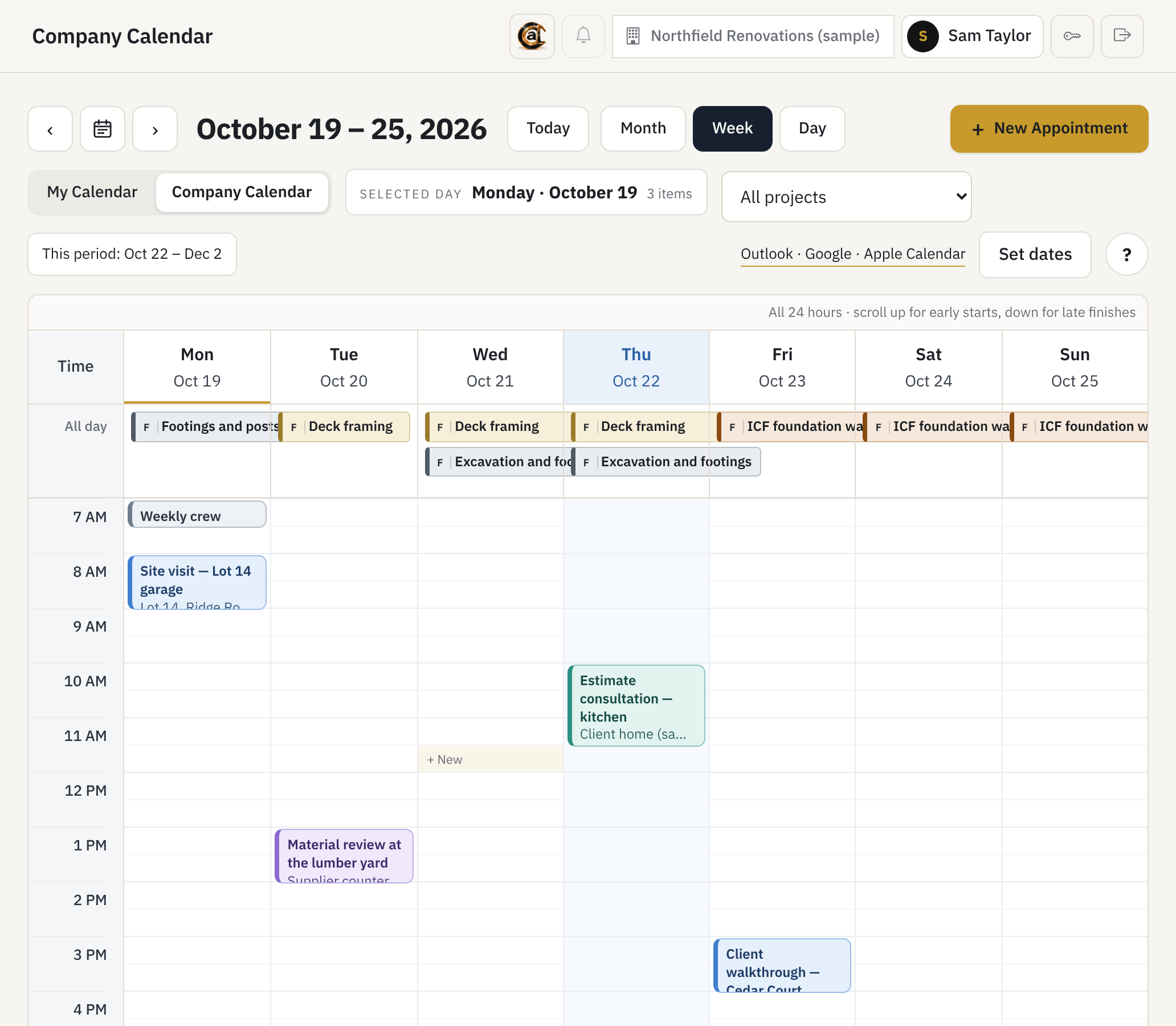
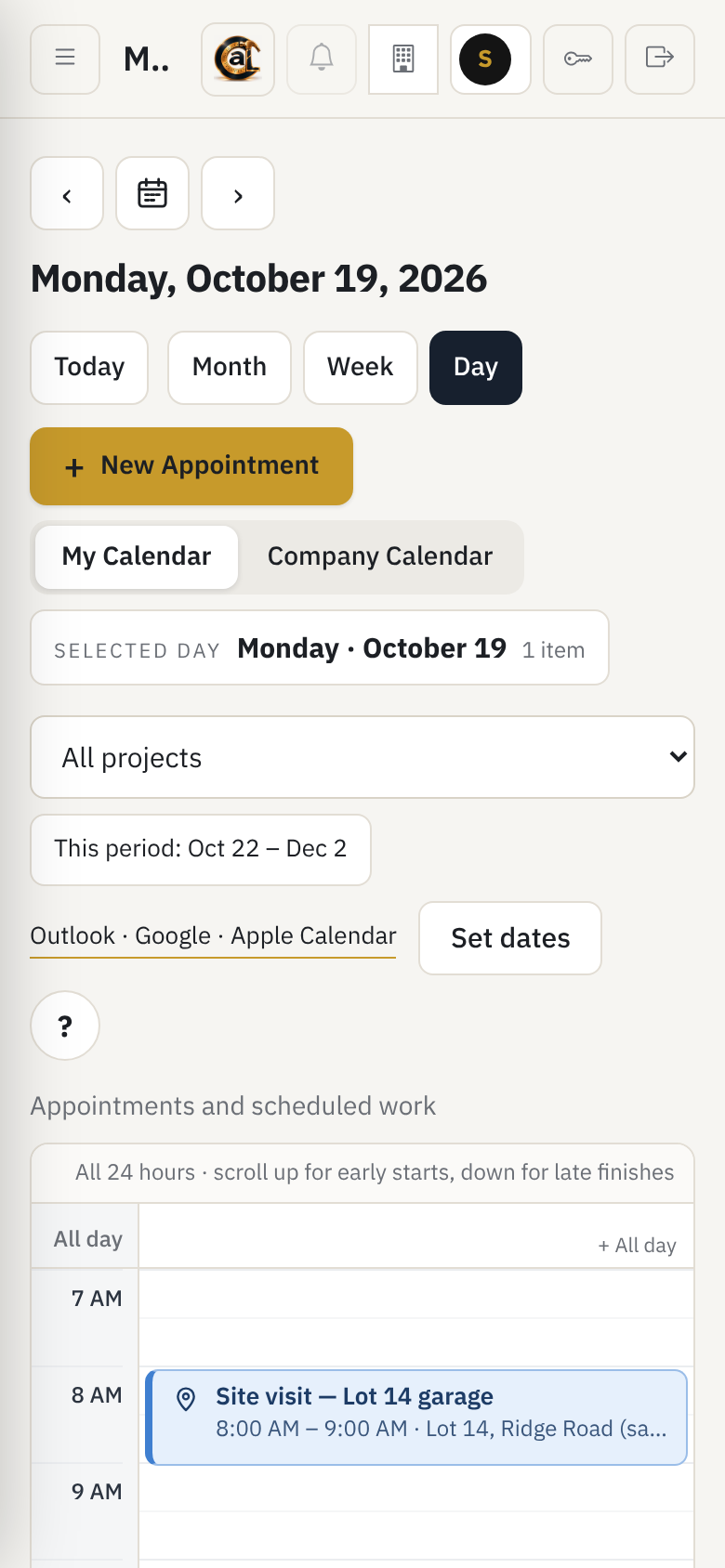
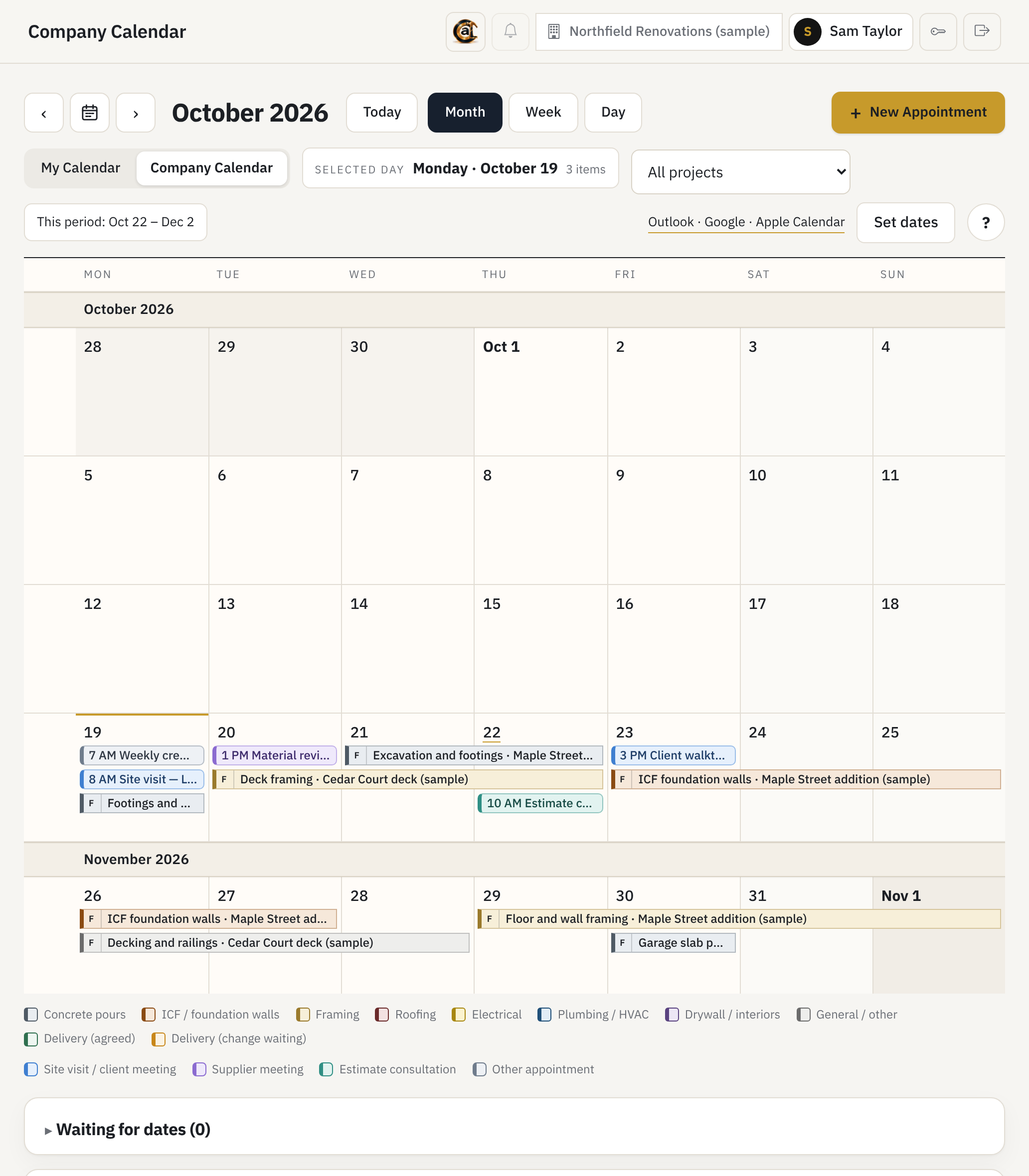
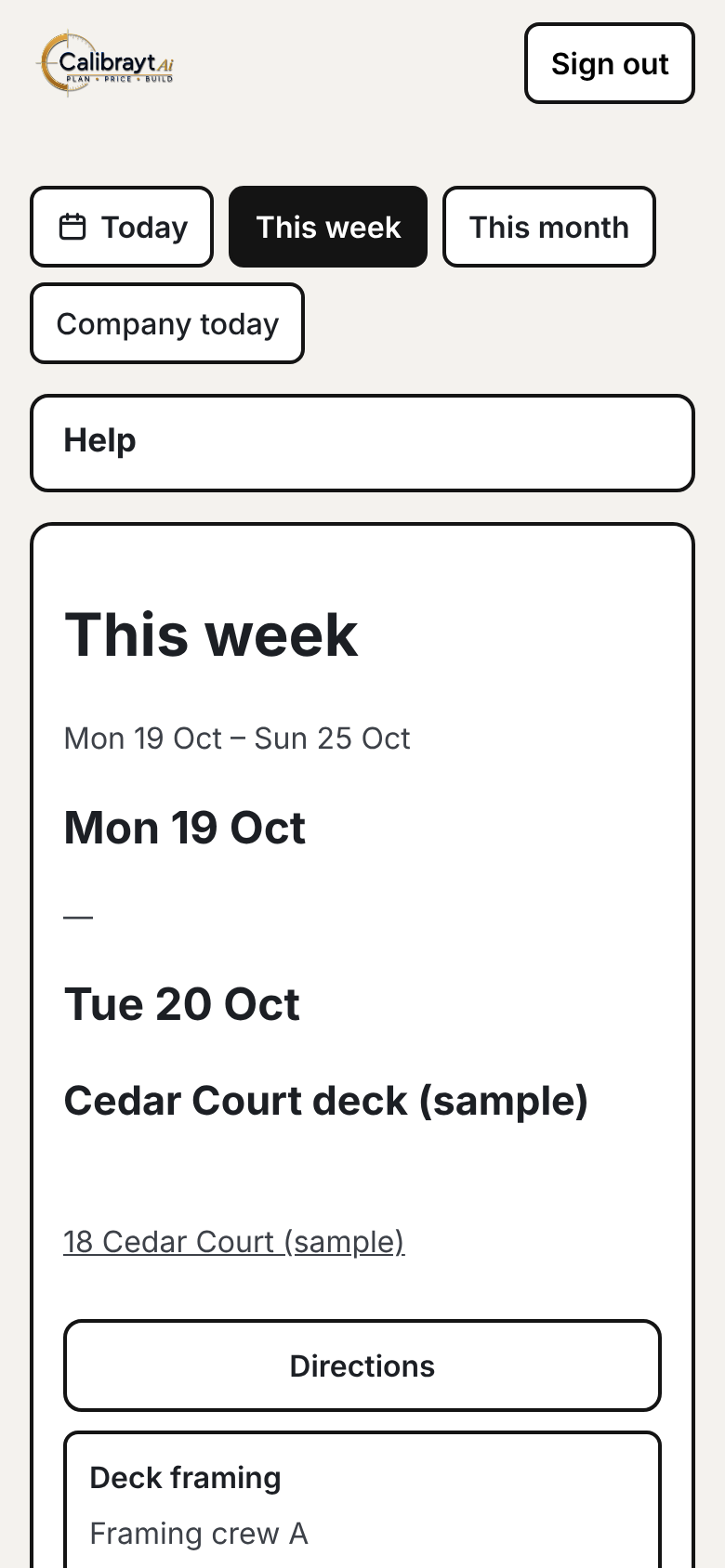
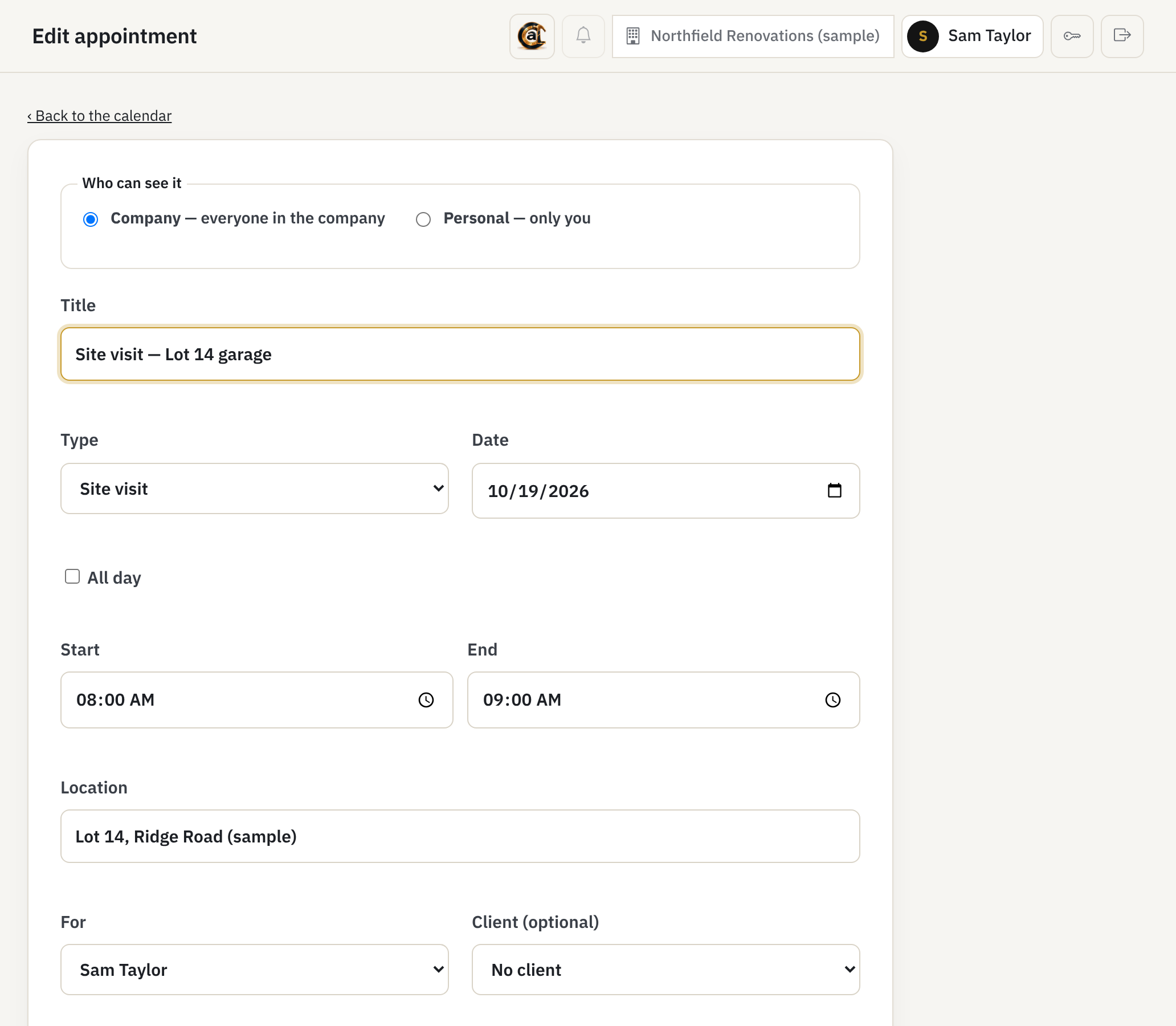
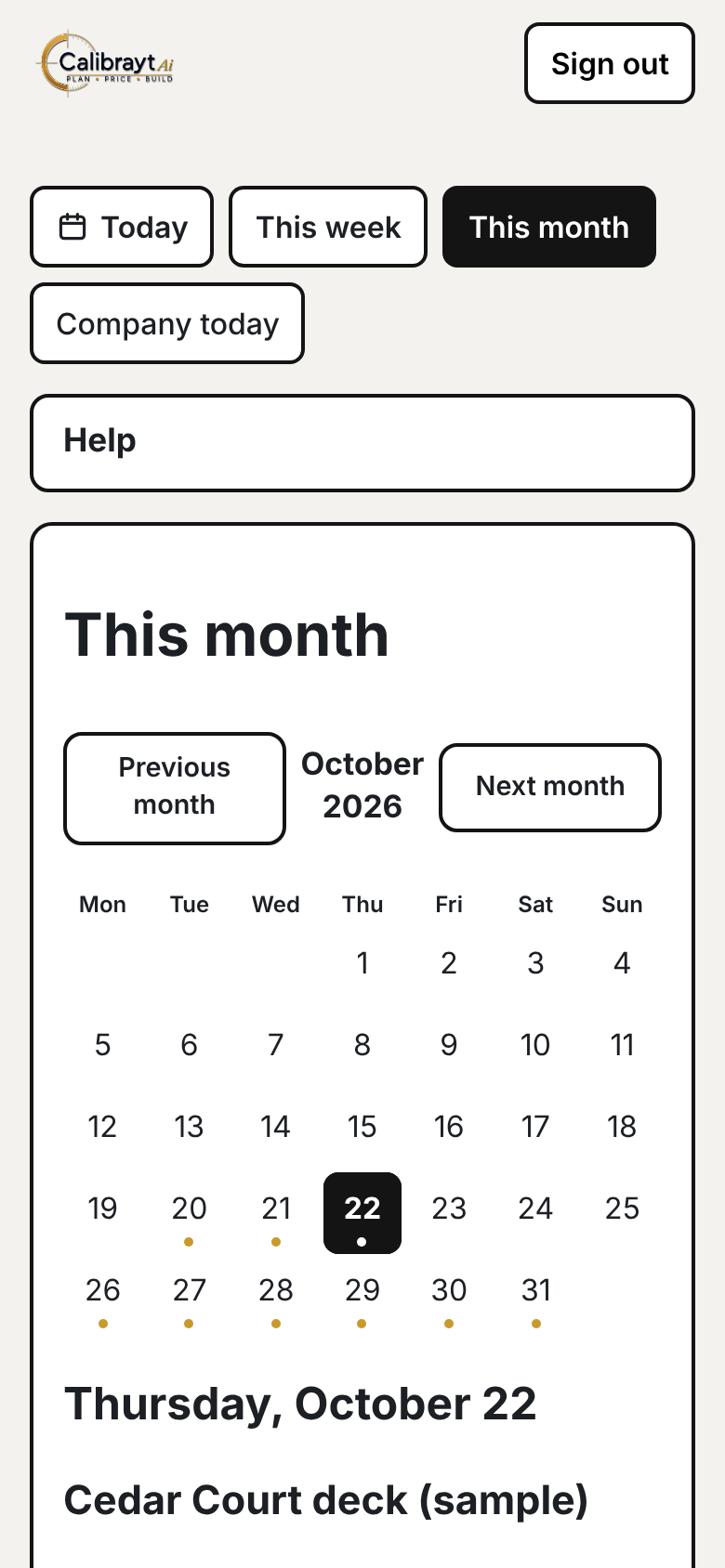
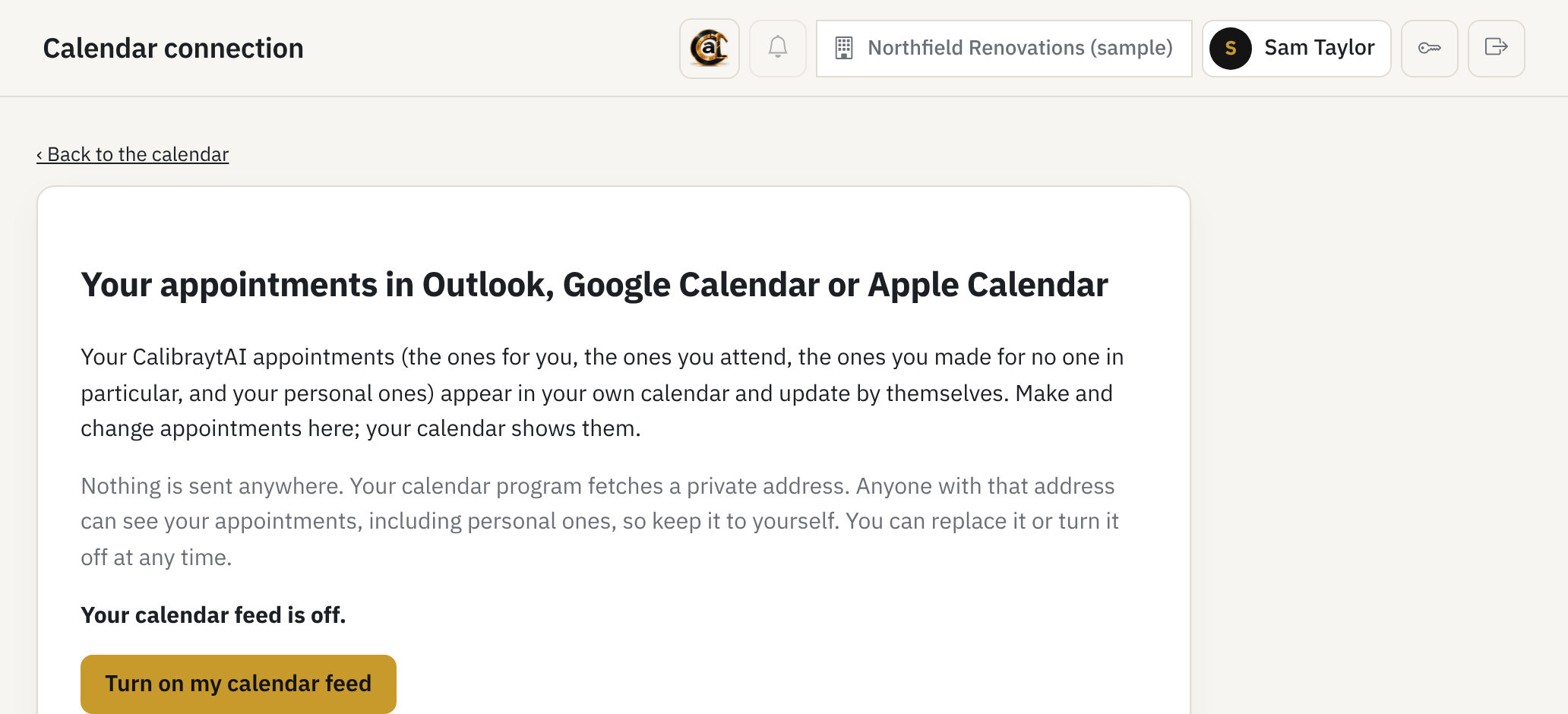
Actual CalibraytAI screens with sample data. The company, people, clients and addresses are made up.
VALUE FOR CONTRACTORS
Estimate faster. Build with control. Learn from every job.
CalibraytAI reduces repeated office work while giving the contractor a clearer view of project cost, commitments, progress and margin.
Save estimating hours
Carry project information forward instead of rebuilding scope, quantities and costs in separate spreadsheets and documents.
Price with confidence
Connect materials, labour, subcontractors, allowances, overhead and margin in one complete estimate.
Protect project margin
See the relationship between estimated cost, customer price and actual performance throughout the job.
Move from estimate to contract
Turn approved scope and pricing into the customer proposal, construction contract and warranty package.
Connect office and field
Give the team one project record for commitments, changes, progress, actual costs and project decisions.
Build company intelligence
Turn completed-project results into practical knowledge for future estimates, schedules and risk decisions.
ONE CONNECTION FOR THE WHOLE TEAM
Office, field, suppliers and customers work from the same project.
Each participant receives the information needed for the work while the contractor maintains one connected commercial and construction record.
Estimator
Plans, takeoffs, supplier costs, labour and pricing stay together while the project is developed.
Office
Approved project information moves into proposals, contracts, purchasing and accounting-ready records.
Field
Scope, selections, commitments, materials, schedule and changes remain visible while the work is built.
Customer
Clear scope, pricing, allowances, exclusions, contracts and changes come from the same approved project.
Suppliers
Contractor-authorized material requests move into supplier quotations, purchase orders and delivery coordination.
Management
Estimated, actual and forecast cost, schedule and margin remain connected from start to finish.
AUTOMATED PROJECT CONNECTION
Approval turns project intelligence into action.
CalibraytAI automates the repetitive work between approval gates. The estimate produces the documents, supplier requirements and project records that move the job forward.
Complete estimating package
Internal costs, customer pricing, supplier requirements and accounting-ready information come from one estimate.
Approval-driven handoff
Approved scope and pricing move into contracts, warranty documents, purchasing and construction preparation.
Continuous project control
Actual labour, materials, cost, schedule and margin remain connected to the original estimate while the project is built.
CONSTRUCTION INTELLIGENCE
Every completed project makes the contractor stronger.
CalibraytAI preserves the contractor’s real labour, material, cost, schedule, change and margin results. That experience becomes company-specific intelligence applied to the next project.
TRAINING AND GETTING STARTED
Learn it the way the work is done.
Getting Started in the platform walks a new company through its first setup. The CalibraytAI Training Centre teaches each role step by step, using made-up training records rather than real jobs.
Contractor Training
The contractor pathway in the Training Centre, from the first project through estimate, proposal, purchasing, schedule and closeout.
Workflow Maps
Interactive Contractor and Supplier Workflow Maps in the Training Centre show every stage in order and what comes next.
Getting Started
Onboarding guidance inside the platform, with Help on each main screen that says what the screen is for and what to do next.
ROLLING OUT NEXT
Coming in the next release.
These are built and in final release checks. They are not yet part of the live contractor platform.
Field time and labour cost
My Time for every crew member, office approval, labour cost from approved hours compared with the estimate, shop time, and an hours file for QuickBooks.
Workflow Guide in the platform
The interactive Contractor, Supplier and Field Workflow Maps, opened from inside the platform.
Field Crew Training
A third Training Centre pathway for the crew: Field, time entry, My Time and corrections.
Not offered today: two-way sync with Outlook, Google or Apple Calendar, and a direct QuickBooks connection. CalibraytAI produces QuickBooks-ready sheets for the office to enter; it does not send anything to QuickBooks.
From plans and pricing through construction performance and company learning.